Allwinner Module Functions
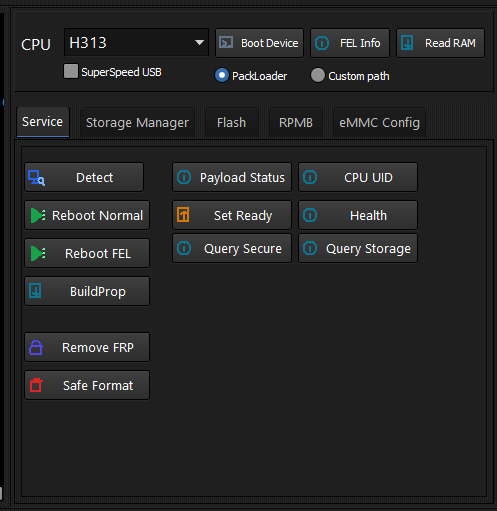
Allwinner devices are handled by the native Allwinner implementation in the Hydra Tool, powered by a custom Hydra payload with direct low-level access.
Supported Functions
- Firmware Flashing (Full Image & Individual Partitions)
- Read / Write / Erase operations
- Partition Manager
- Storage Manager
- Configuration Dump & Write
- eMMC CID Reader
- eMMC EXT_CSD Reader
- RPMB Counter Reader
- Storage Health Information
- Device Information
Module Notes
Release Notes (v2026.7.11.1)
Hydra now includes a complete native Allwinner implementation with custom Hydra payload: full storage access, read/write/erase operations, full-image and partition-level firmware flashing, partition manager, storage manager, configuration dump & write, eMMC CID/EXT_CSD/RPMB readers, storage health and device information.
Under Testing
Ramdisk Support and Backup Activation are currently under testing and will be released in an upcoming update.
Devices connect over FEL mode (e.g. A133-class chips, VID_1F3A). Brand-specific model guides are being added.
FACTORY RESET [FORMAT]
- FACTORY RESET [FORMAT]
How to Factory Reset Allwinner devices (H313)?
Created: 2026-09-30 12:00:00
- Open Hydra Tool, go to Allwinner module.
-
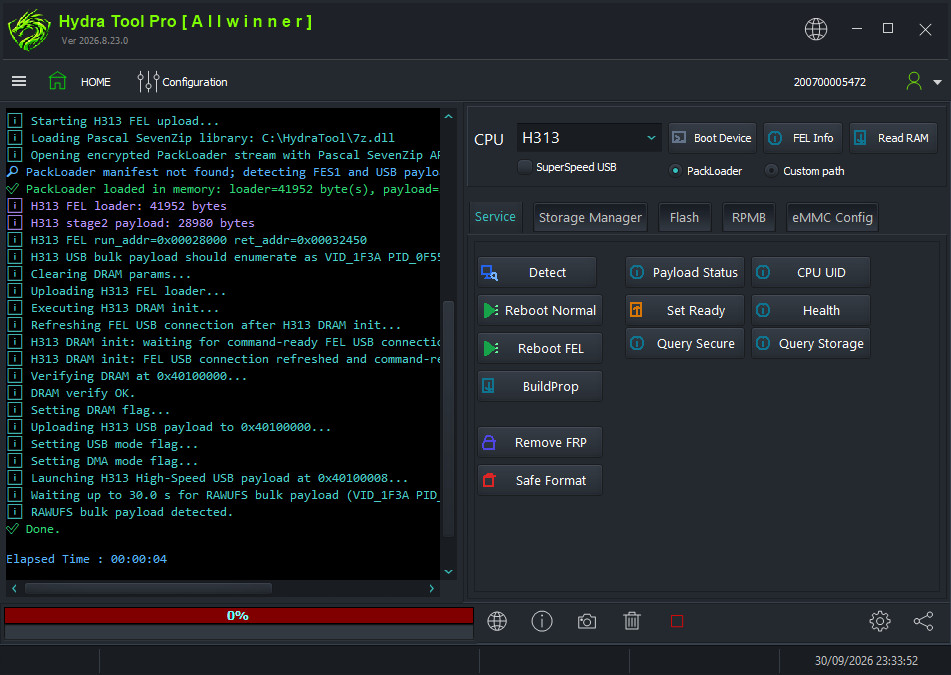
Select CPU: H313 from the list and click Boot Device.
-
Connect the phone/tablet/TV box by USB cable using the bootkey.
-
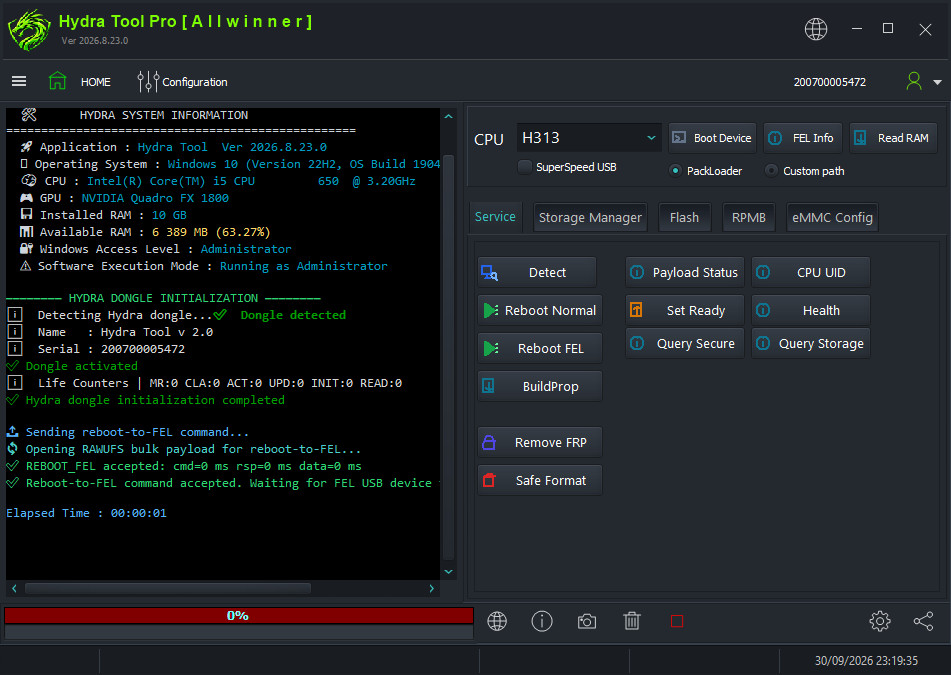
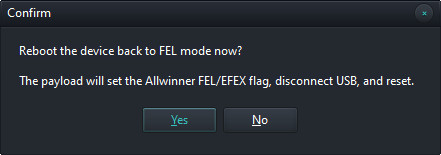
Click Reboot FEL to boot the device into FEL mode, confirm the popup.
-
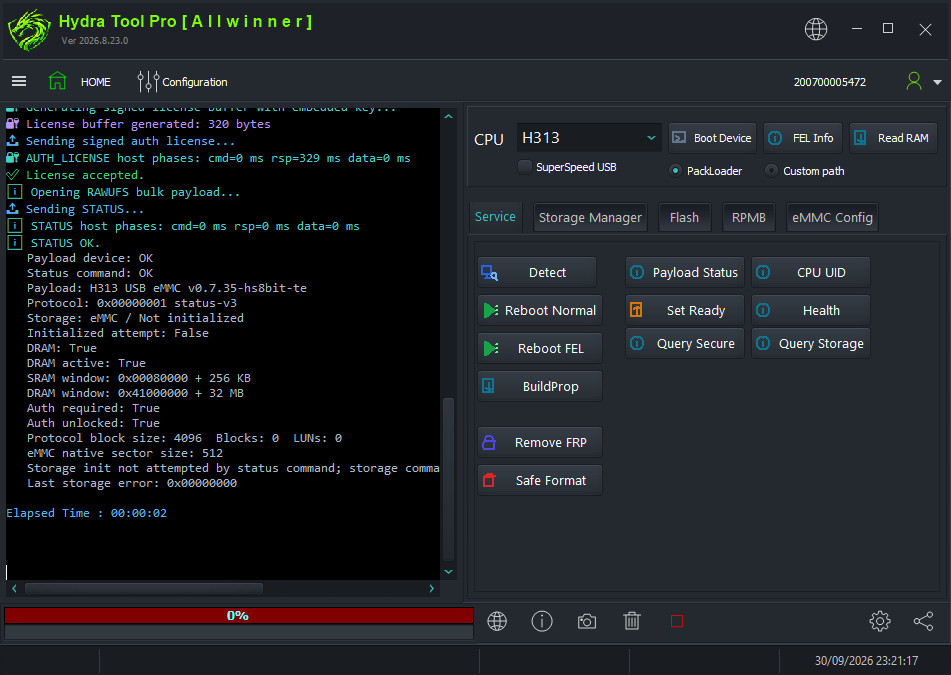
Click Payload Status to load the storage type.
-
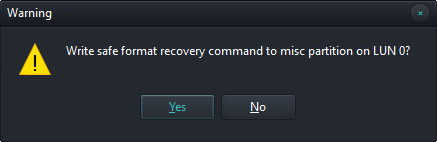
Click Safe Format and click Yes on the popup to confirm userdata erasing.
-
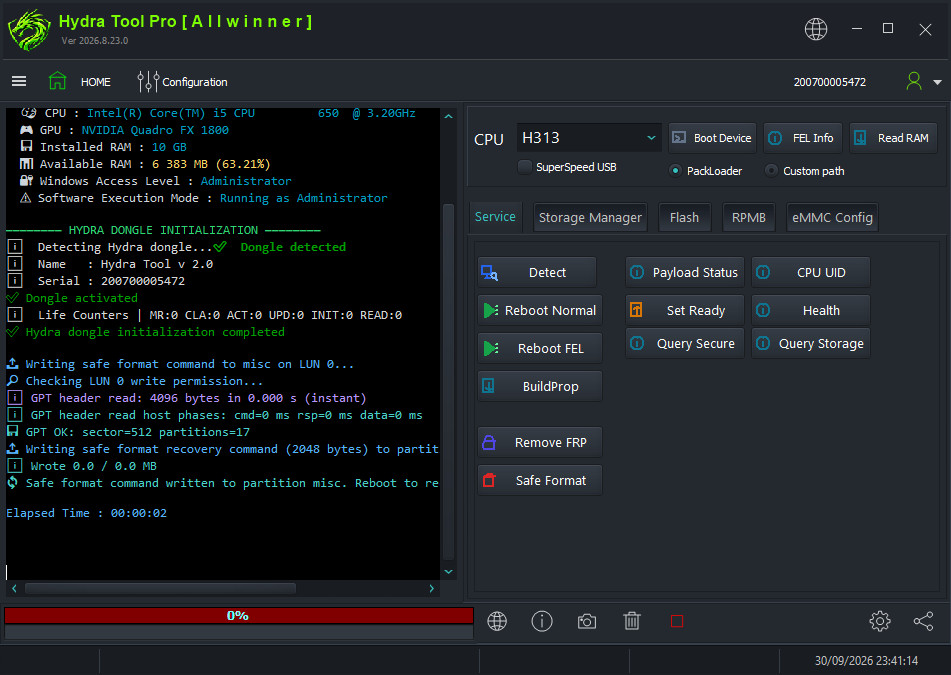
Wait for the safe format command written message.
-
Disconnect and power on the device.
RESET FRP
- RESET FRP
How to remove FRP on Allwinner devices (H313)?
Created: 2026-09-30 12:00:00
- Open Hydra Tool, go to Allwinner module.
- Select CPU: H313 from the list and click Boot Device.
- Connect the phone/tablet/TV box by USB cable using the bootkey.
- Click Reboot FEL to boot the device into FEL mode.
-
Click Payload Status to load the storage type.
-
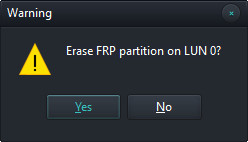
Click Remove FRP and click Yes on the popup to confirm the erase operation.
-
Wait for the FRP partition erased message.
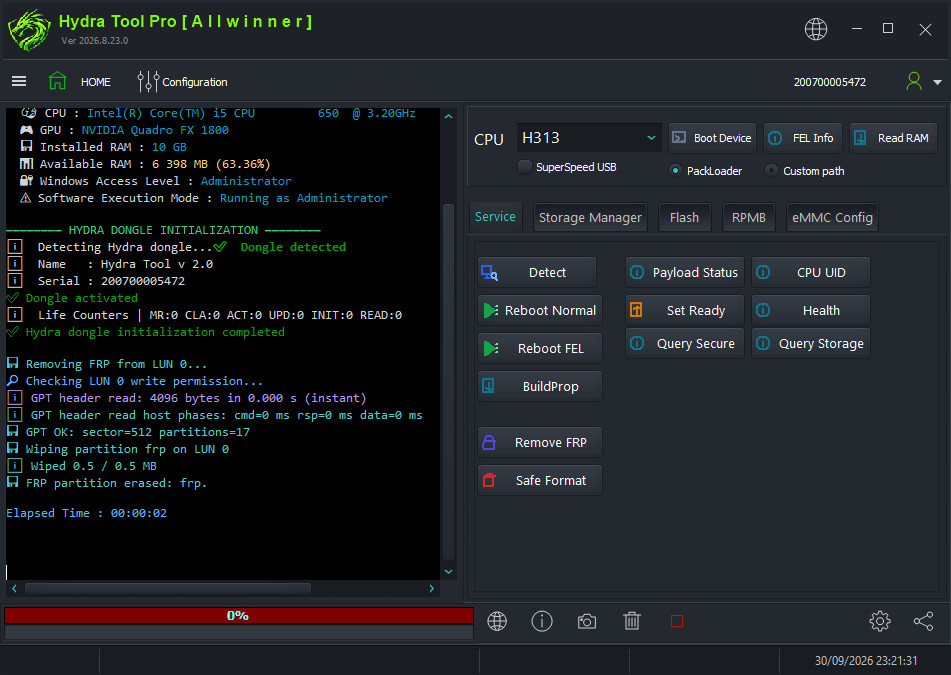
-
Disconnect and power on the device.