SAMSUNG
SAMSUNG - Exynos Devices
Samsung Exynos-powered devices.
RESET FRP
- RESET FRP
How to remove FRP in Download Mode?
Created: 2026-08-23 10:00:00
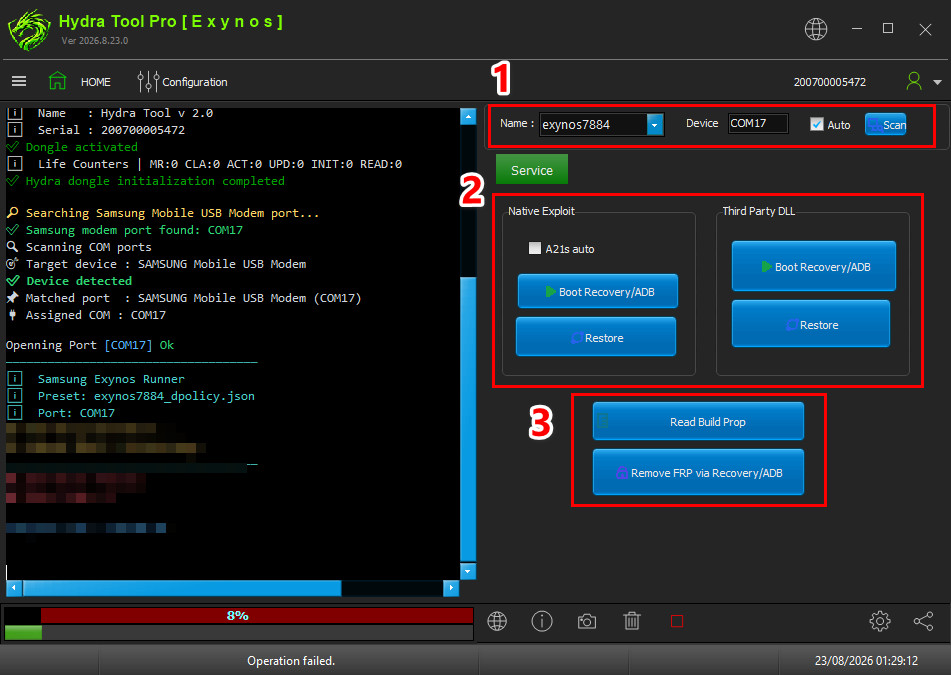
- Run Exynos Module.
- Select CPU/Model from Name Tab.
- Click Scan for Download Mode Port.
- Select Method to enable ADB mode from Native Exploit or Third Party DLL.
- Click Boot Recovery/ADB.
- Click Remove FRP via Recovery/ADB.
FACTORY RESET [FORMAT]
- FACTORY RESET [FORMAT]
How to Factory Reset Samsung Exynos in Download Mode?
Created: 2026-09-30 12:00:00
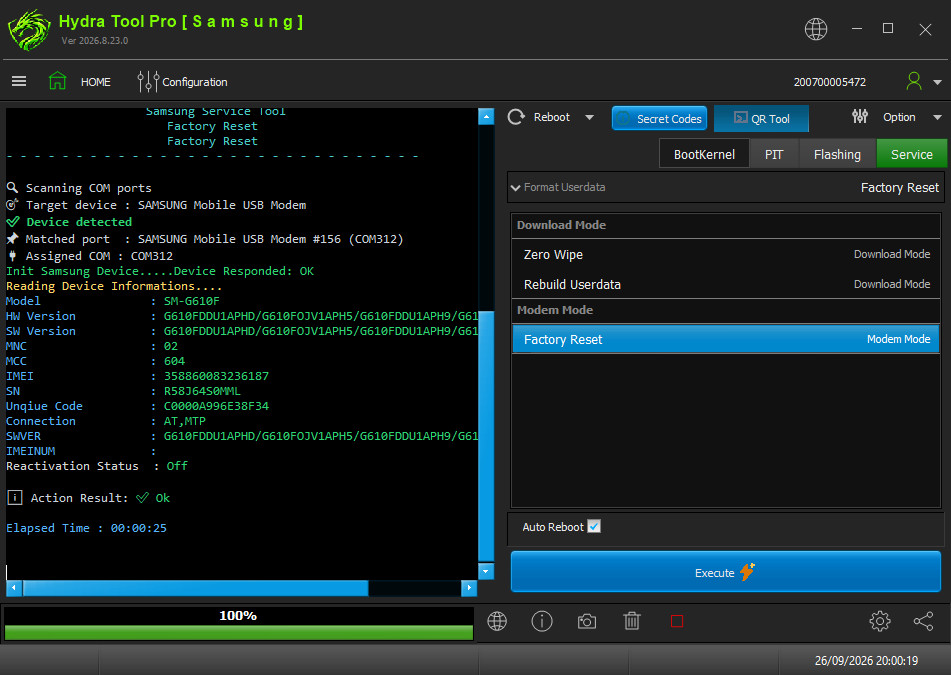
- Open Hydra Tool, go to Samsung module.
- Click FACTORY RESET [FORMAT] under the functions list.
- Select Brand Samsung, model Galaxy J7 Prime (SM-G610F).
- Power off the phone and connect it in Download Mode.
- Click Execute to start the format process.
- Wait for Action Result: ok message.
- Disconnect and power on the phone.
WRITE FIRMWARE
- WRITE FIRMWARE
How to Write Firmware on Samsung Exynos in Download Mode?
Created: 2026-09-30 12:00:00
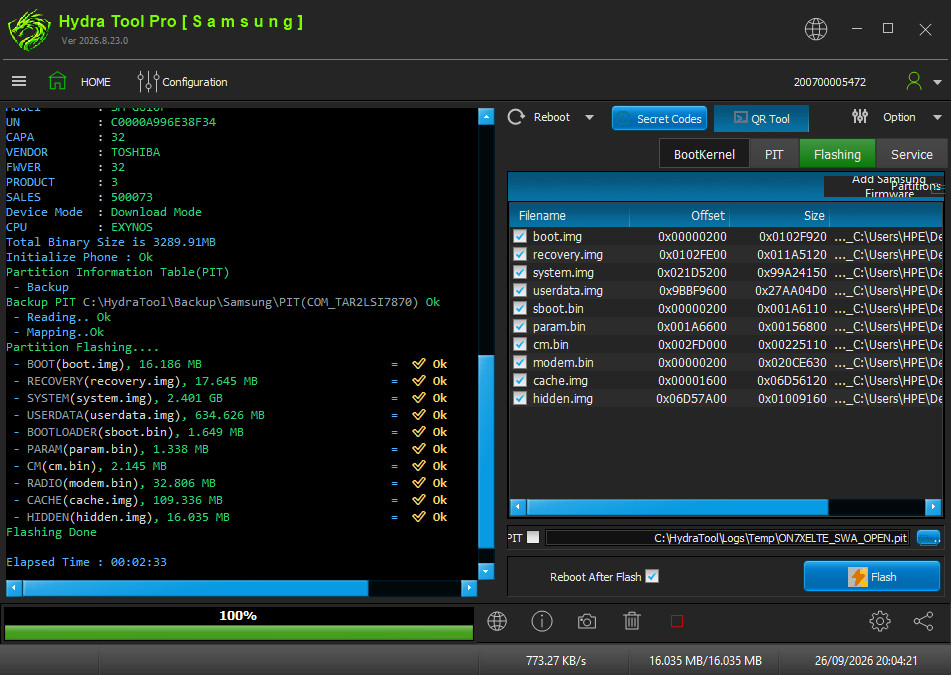
- Open Hydra Tool, go to Samsung module.
- Click WRITE FIRMWARE under the functions list.
- Select Brand Samsung, model Galaxy ON7 (SM-G600FY).
- Load the firmware files and select all required parts (BL, AP, CP, CSC).
- Power off the phone and connect it in Download Mode.
- Click Execute to start flashing.
- Wait for Flashing Done message.
- Disconnect and power on the phone.
Navigate back to Exynos devices or All supported devices