REALME - Unisoc Devices
PAYJOY REMOVE
- PAYJOY REMOVE
How to remove Payjoy on Realme Unisoc?
Created: 2026-09-03 12:00:00
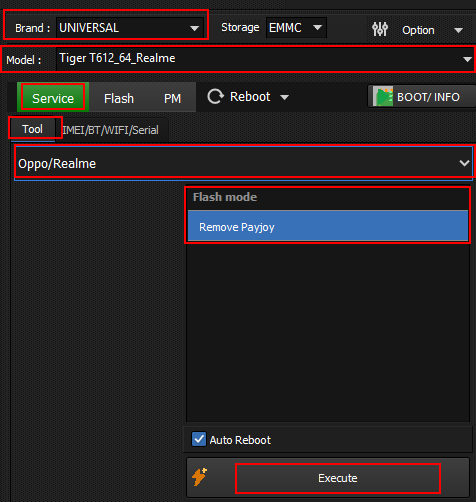
- Open UniSoC module.
- Select UNIVERSAL in brand and respective device CPUID.
- Click bootinfo and connect device. (Hold both volume keys and connect)
- After successful bootinfo.
- Select REALME from drop down and click Remove Payjoy under advanced mode.
- Click execute and wait for the operation to finish.
RESET FRP
- RESET FRP
How to Reset FRP on Realme Unisoc?
Created: 2026-09-28 12:00:00
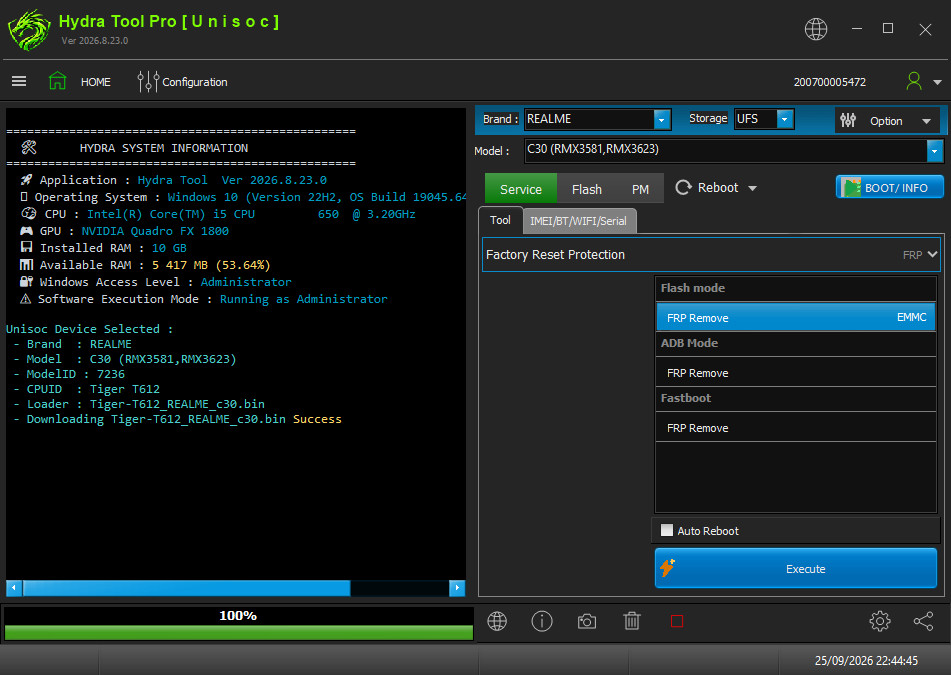
- Open Hydra Tool, go to UniSoC module.
- Select Brand REALME, model C30 (RMX3581, RMX3623).
- Click BOOT/INFO under the functions list.
- Power off the phone. Hold Volume Down and connect USB.
- After phone booting, select FRP Remove under Service > Tool > Factory Reset Protection and click Execute.
- Wait for FRP Reset Done message.
- Disconnect and power on the phone.
FACTORY RESET [FORMAT]
- FACTORY RESET [FORMAT]
How to Factory Reset Realme Unisoc?
Created: 2026-09-28 12:00:00
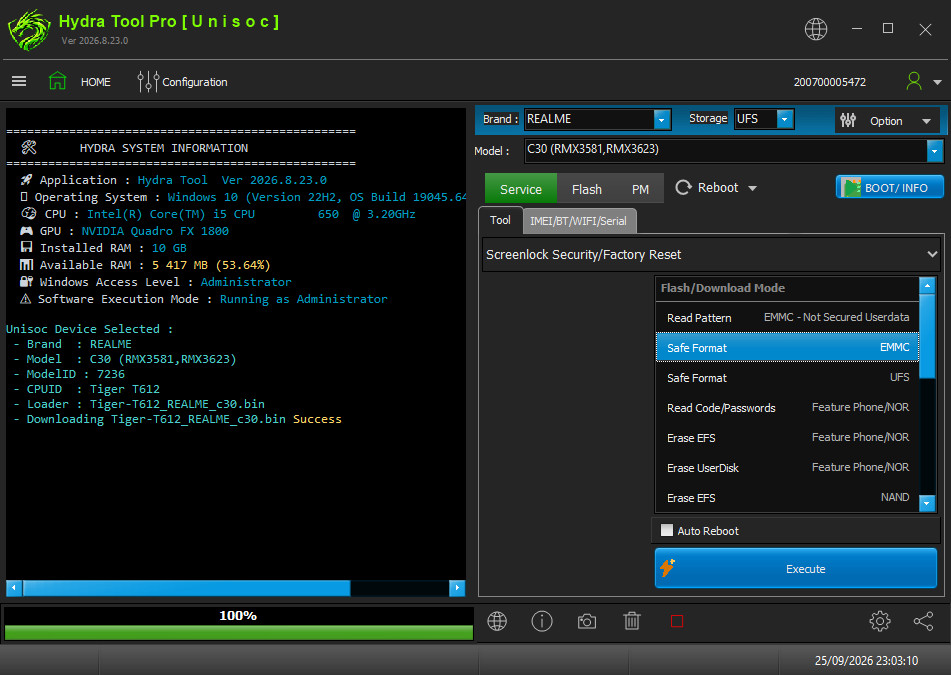
- Open Hydra Tool, go to UniSoC module.
- Select Brand REALME, model C30 (RMX3581, RMX3623).
- Click BOOT/INFO under the functions list.
- Power off the phone. Hold Volume Down and connect USB.
- After phone booting, select Safe Format under Service > Tool > Screen Security/Factory Reset and click Execute.
- Wait for Safe Format Done message.
- Disconnect and power on the phone.
Navigate back to Unisoc devices or All supported devices