XIAOMI
XIAOMI - Qualcomm Devices
Qualcomm-powered Xiaomi devices.
RESET FRP
- RESET FRP
FRP Remove - Auto / Zero Wipe / Zero Wipe Patch (UFS)
Created: 2026-08-24 00:00:00
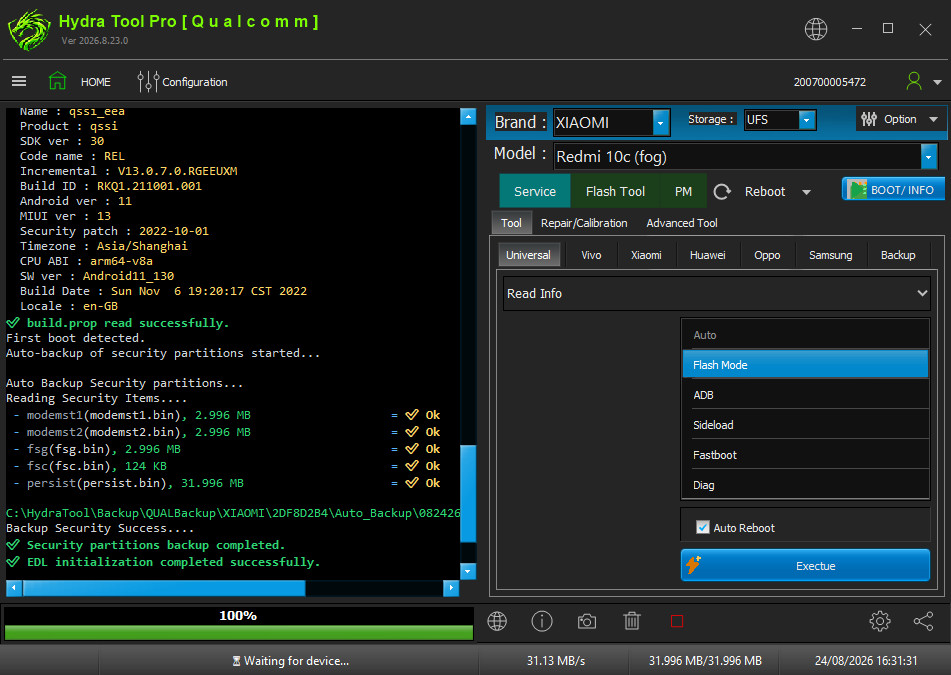
- Run Qualcomm Module.
- Select Model from list.
- Do Boot INFO.
- Select Service > Tool > Universal > FRP > Auto.
- Click Execute.
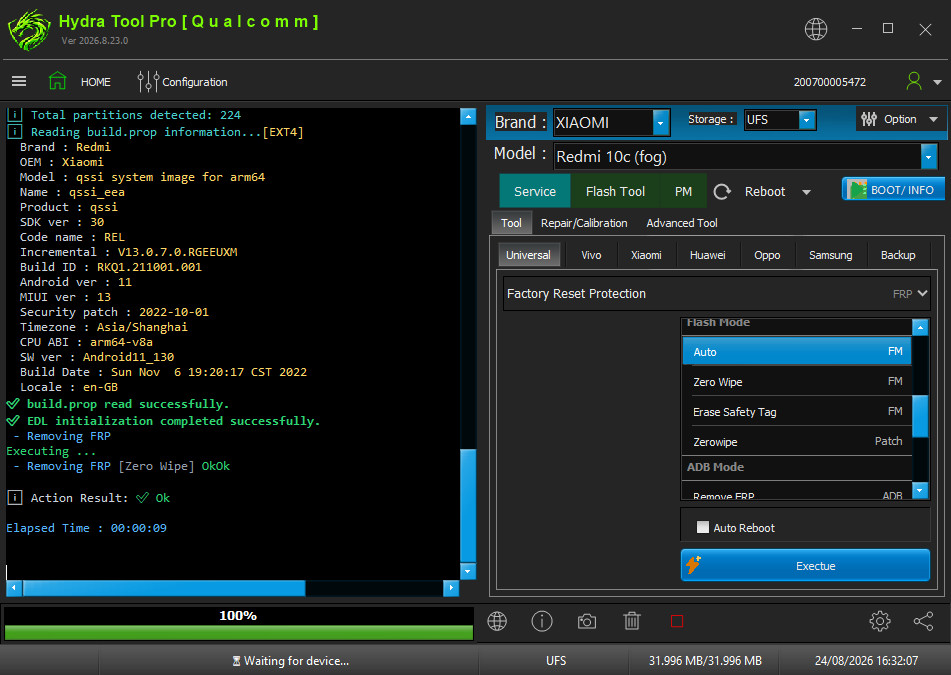
Note
If FRP is still there by Auto, select Zero wipe method or zerowipe (patch) for UFS chip devices.
REPAIR IMEI
- REPAIR IMEI
How to IMEI Repair Redmi 7A, 8A, 8 Without Unlock BL?
Created: 2023-05-25 04:08:48
How to IMEI Repair Redmi 7A, 8A, 8, S2, Y2 Note 7, Note 6 Pro - Without Unlock Bootloader and Root?
- Disassembly your device and find test point.
- Short test point to Ground (GND) according to test point picture under Hydra installation section.
- Run Qualcomm SoC, Select Brand & Model of the device (Cellphone / Mobile).
- Tick "Partitions", Select "Erase Security Partitions" from Method / Option.
- Tick "Auto Restart".
- Click "Execute".
- Go to Dial Screen and Dial *#*#717717#*#* for Enable Diag.
- Go to "Select Repair/Calibration".
- Select Xiaomi IMEI RSA Method [ADB]. Click "Repair IMEI" Button.
- Wait until the device (Cellphone / Mobile) reboots.
FACTORY RESET [FORMAT]
- FACTORY RESET [FORMAT]
Factory Reset - Auto method
Created: 2026-08-24 00:00:00
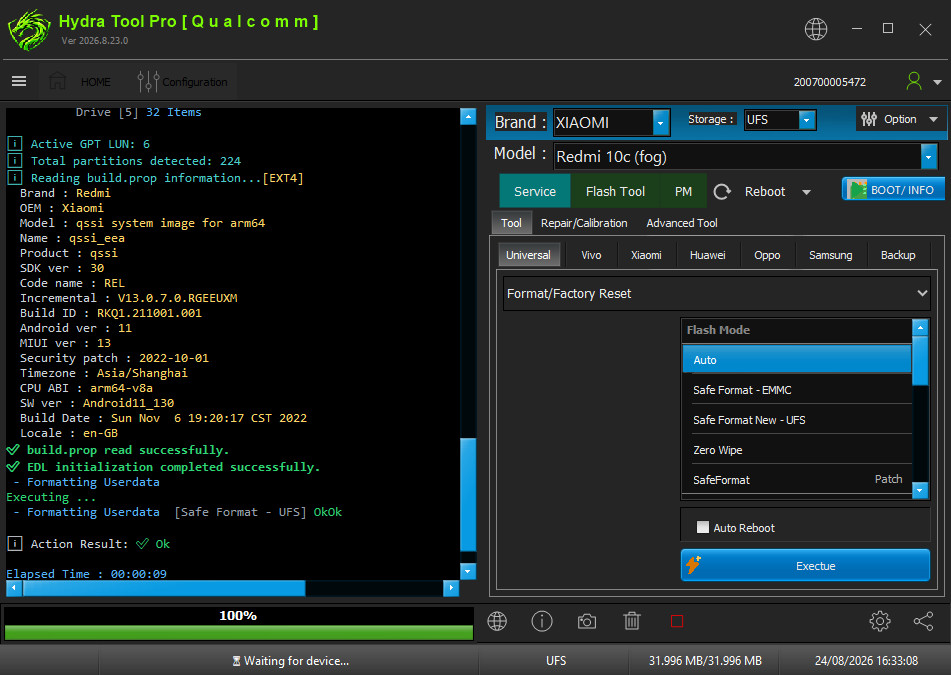
- Run Qualcomm Module.
- Select Model from list.
- Do Boot INFO.
- Select Service > Tool > Universal > Format/Factory Reset > Auto.
- Click Execute.
Note
Try other Format methods if Auto is not working.
ULTRA POWER (2 IN 1)
- ULTRA POWER (2 IN 1)
Ultra Power — FRP + Factory Reset in one operation
Created: 2026-08-24 00:00:00
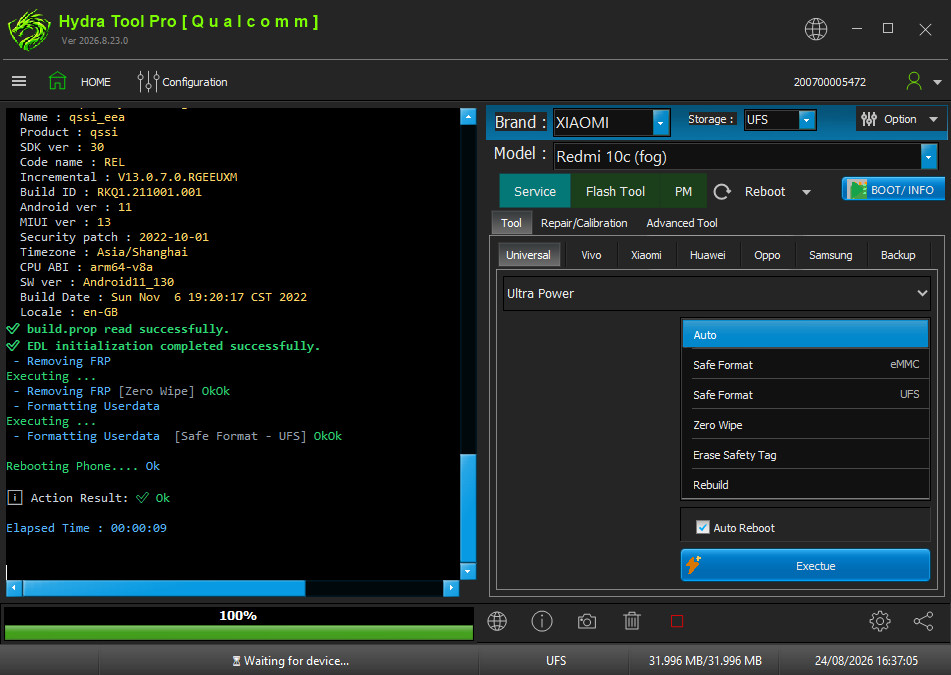
- Run Qualcomm Module.
- Select Model from list.
- Do Boot INFO.
- Select Service > Tool > Universal > Ultra Power > Auto.
- Click Execute.
Note
Ultra Power removes FRP and Formats in the same operation to save time.
REMOVE MI ACCOUNT
- REMOVE MI ACCOUNT
How to Remove Mi Account (Disable) by EDL Mode Without Relock
Created: 2023-07-02 08:18:59
- Charge device (Cellphone / Mobile)'s battery more than 30%
- Connect device to EDL Mode (by using EDL Cable or software or manually method).
- Install QdLoader driver, you can get it from "Driver" folder of our Support site (area).
- Open "Qualcomm" module of Hydra Tool
- Untick "Auto"
- Select "Brand" and "Model" of the device (Cellphone / Mobile).
- Go to "Service -> Xiaomi" Tab,
- Choose "Mi Account" from drop-down menu.
- Choose "Remove Mi Account [New Method]" from menu.
- Tick "Auto Reboot" (You can find this just above "Execute" button) and Click "Execute".
Note:
- New Xiaomi devices require Authorized Server
- Our Software has just Disable MI-Account. If you format or factory Reset the device (Cellphone / Mobile), Mi-Account could not be seen again as it was before.
- Without any 3rd Apps for disable, it will disable directly, (MIUI 8,9,10,11,12) are supported yet.
Mi Account/FRP [New Method] via Xiaomi Tab:
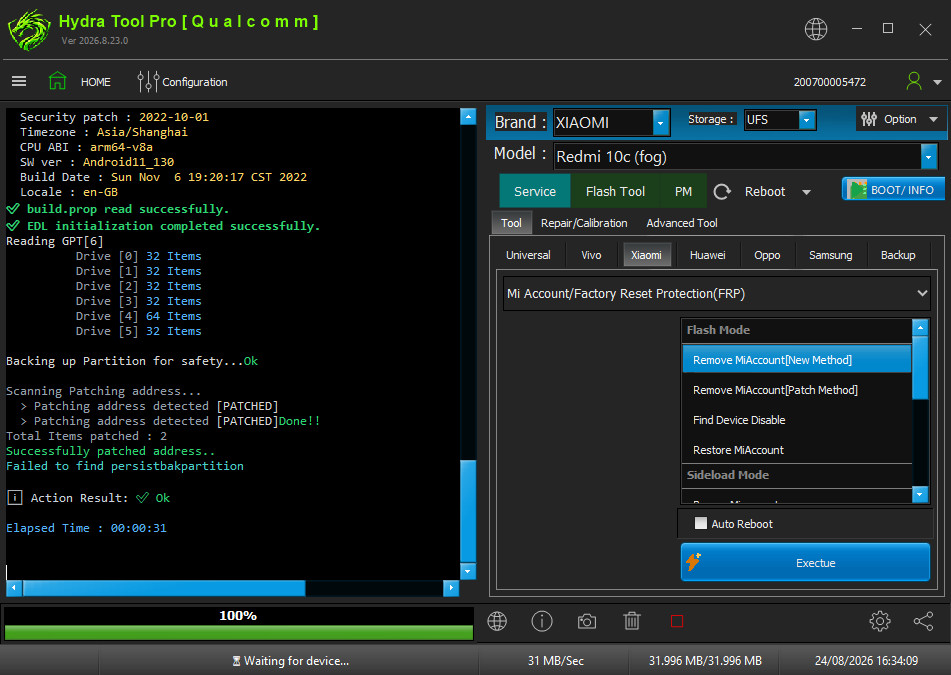
- Run Qualcomm Module.
- Select Model from list.
- Do Boot INFO.
- Select Service > Tool > Xiaomi Tab > Mi Account/Factory Reset Protection (FRP).
- Click MiAccount[New Method].
- Click Execute.
Xiaomi Qualcomm Mi Account Remove All MIUI Without Relock and BL Locked Video Guide:
BYPASS MI ACCOUNT (MI ASSISTANT MODE)
- BYPASS MI ACCOUNT (MI ASSISTANT MODE)
Bypass MI account by Mi assistant mode (Android 11)
Created: 2023-11-08 22:07:58
- Open Qualcomm Module.
- Connect device in Mi assistant mode and connect device.
- In service tab Select Xiaomi then select Mi account from drop down.
- Select Bypass Mi account under Sideload mode and click execute.
Note: This method only supported on Android 11.
WRITE FIRMWARE
- WRITE FIRMWARE
Flashing Firmware (XML) + Partition Manager
Created: 2026-08-24 00:00:00
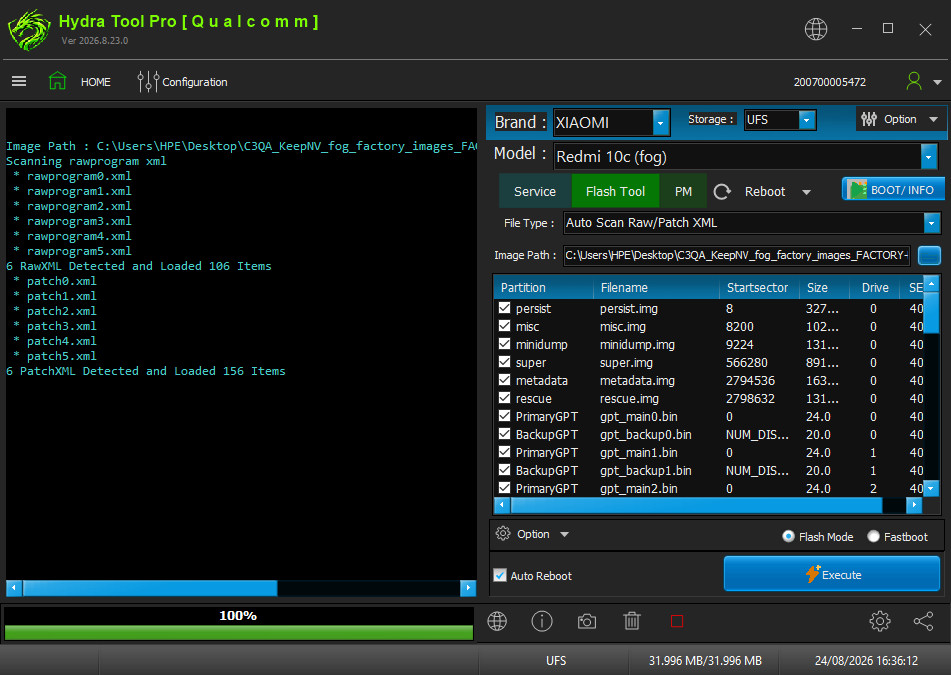
- Run Qualcomm Module.
- Select Model from list.
- Do Boot INFO.
- Go to Flash Tool Tab.
- Select File Type and load Xml firmware file.
- Click Execute.
Note
In Option Tab under firmware list you can change many features as needed.
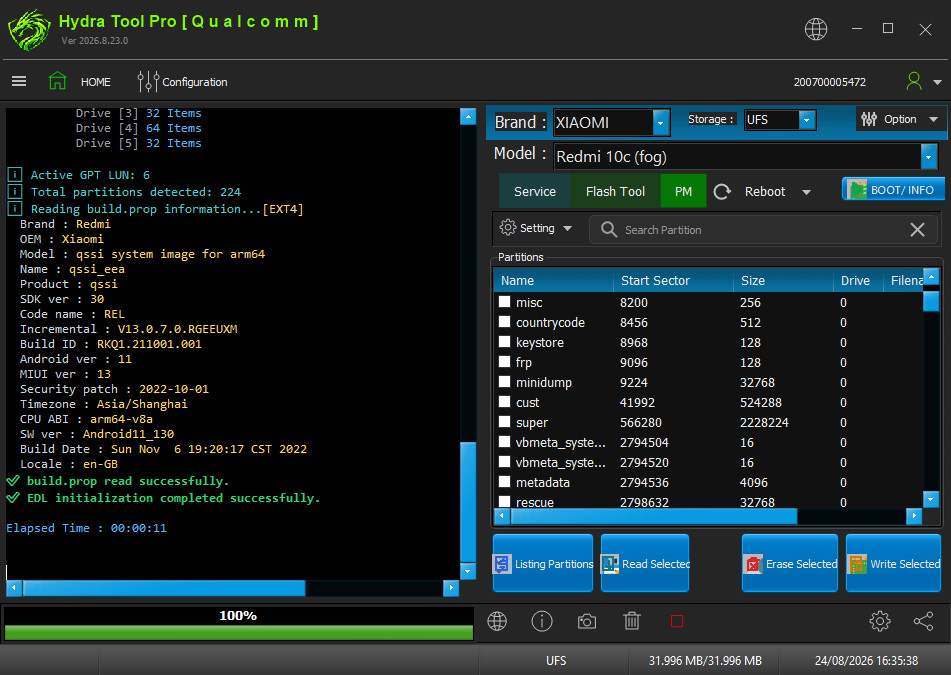
In Partition Manager (PM) Tab you can load all phone partitions to read/write/erase:
Navigate back to Qualcomm devices or All supported devices